53 Built-In Starter Templates
53 CPA engagement letter & Section 7216 templates with e-sign
Scope creep starts when sending an engagement letter takes 15 minutes of copy-pasting. CPA Relay ships with 53 built-in starter templates for tax returns, Section 7216 consents, bookkeeping, and advisory—complete with auto-filling client fields and built-in e-signatures.
Included in every firm account · Zero per-envelope signature fees
The starter library
53 accounting-specific templates ready to copy and customize
In Settings → Templates, click Pick a starter to add any of our 53 built-in drafts to your firm's library. Every starter follows a clean, consistent structure: Date, Greeting, Scope of Services, Client Responsibilities, Firm Responsibilities, Fees & Payment, Sign-off, and Acceptance.
Tax preparation
Individual, Business & Estate Returns
Structured engagement letters for Form 1040, Married Filing Jointly, Schedule C, S-Corporations (1120-S), Partnerships (1065), C-Corporations (1120), Trusts (1041), Estates, and Nonprofits.
IRS compliance & disclosures
Section 7216 Consents & Authorizations
Ready-to-send IRC Section 7216 consents to use or disclose tax return information, third-party records-release authorizations, and client payment authorizations.
CAS & recurring services
Bookkeeping, Payroll & Advisory
Clear scope-of-service letters for monthly bookkeeping, clean-up engagements, payroll processing, fractional CFO / tax planning advisory, and compilation or review engagements.
Good to know: Our 53 starter templates are professionally structured drafts designed to save your firm hours of setup—not legal advice. Review your templates with your counsel or E&O carrier before sending them to clients.
Smart merge fields
Fields that fill themselves in—and custom questions when you send
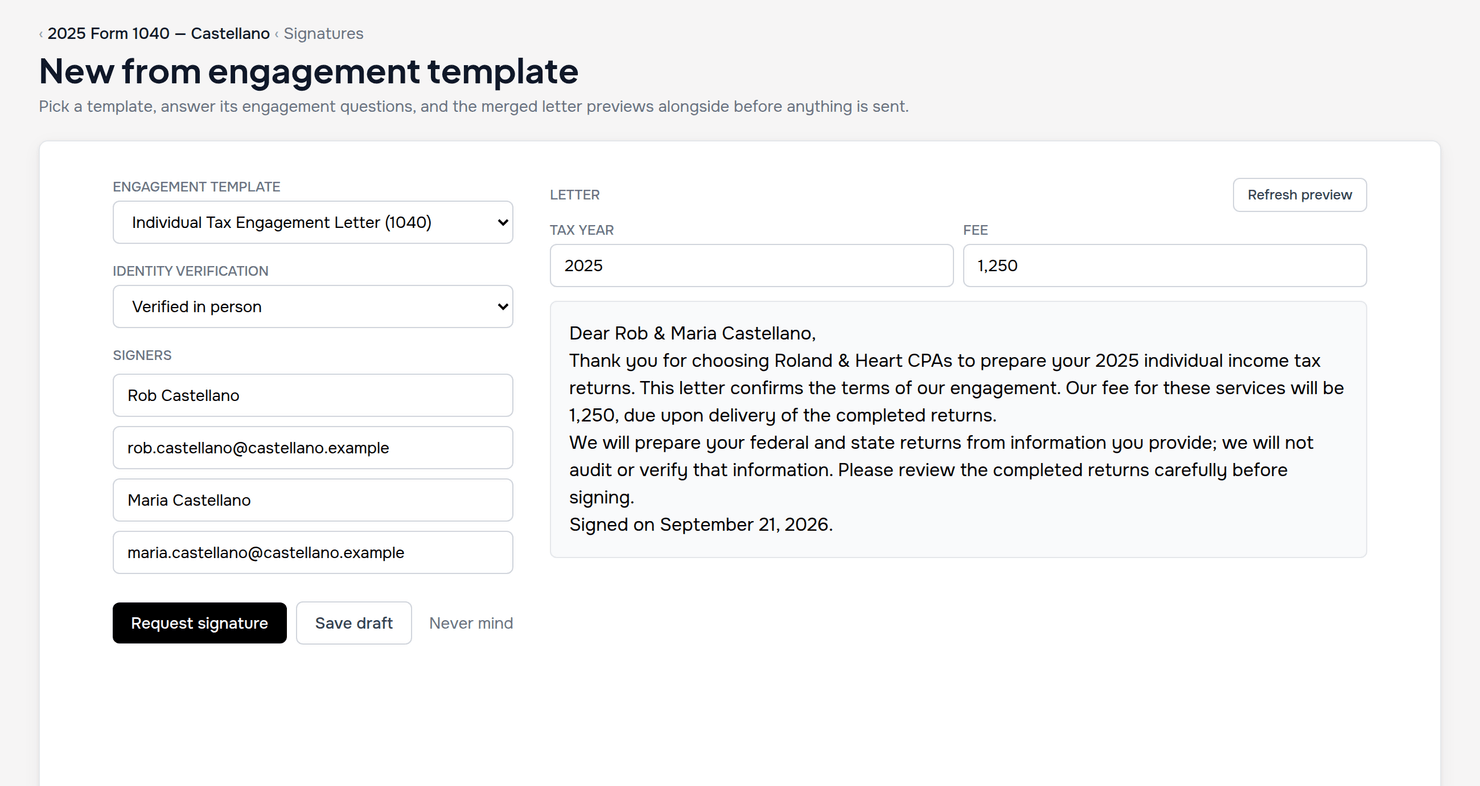
Wrap a field name in double braces and CPA Relay handles the rest. Standard client and firm
fields pull straight from your records. Need a custom detail that changes per job—like
{{retainer_fee}} or {{states_filed}}? Type any custom tag in double
braces and CPA Relay automatically turns it into a question on the send form.
- Zero manual retyping: Legal name, DBA, entity type, fiscal year-end, billing contact, and payment terms populate automatically.
- EINs stay protected: For security, client EINs are never auto-merged into letter templates by default.
- Live PDF preview before sending: Click Preview or Download PDF to inspect the exact rendered letter before your client ever sees it.
Terms & Letterhead
Maintain one standard Terms & Conditions addendum across every letter
When you update your firm's standard dispute resolution, record retention, or late-payment language, you shouldn't have to edit 20 separate letter templates.
- One Default Terms card: Write your firm's standard Terms & Conditions once in Settings. Any template with "Attach the firm's Terms & Conditions" ticked appends them automatically under a clean heading.
- Frozen letterhead & text: Your firm's logo, name, address, and terms are locked at the exact moment you send a request. Editing a template or changing your address next year never alters a letter a client already received.
- Executed PDF with SHA-256 fingerprint: Once signed, the letter, signature page, timestamps, IP addresses, and cryptographic hash are bound into a permanent Executed PDF on the project and in the client's Papers to keep.
Frequently asked questions
Engagement letter template and merge field questions
What templates are included in CPA Relay's 53 starter library?
CPA Relay includes 53 built-in starter templates covering individual (Form 1040), business (1120-S, 1065, 1120), trust and estate tax engagement letters, monthly bookkeeping, payroll, advisory, audit-type engagements, Section 7216 consents to use or disclose tax return information, records-release authorizations, payment authorizations, and a standard Terms & Conditions addendum.
How do auto-filling merge fields work in CPA Relay?
Wrap any supported field in double braces, such as {{client_legal_name}}, {{client_fiscal_year_end}}, {{payment_terms}}, or {{firm_signer_name}}, and CPA Relay fills it in automatically from the client profile and your firm settings when you generate the letter. Any unrecognized brace tag (like {{tax_year}} or {{retainer_fee}}) automatically becomes a question on the send form.
Does editing a template change engagement letters we already sent?
Never. Editing or deleting a template in Settings only affects future letters. Every sent letter freezes its text, Terms & Conditions, and firm letterhead at the moment you send it, and seals the final signed copy with a SHA-256 cryptographic fingerprint.
Related guides & comparisons
Best practices for engagement letters
Practitioner Guide
Engagement Letters & 7216 Consents
Learn the core scope clauses, Section 7216 consent requirements, and merge field structures.
Read guideE-Signatures
Signatures & Form 8879
How engagement letters transition seamlessly into Form 8879 KBA signatures and client approvals.
Explore e-signaturesSoftware Comparison
CPA Relay vs. TaxDome
Compare built-in engagement letter templates against complex enterprise contract builders.
Compare suitesSend your next engagement letter in 30 seconds
Request an invitation for your firm to explore all 53 starter templates, auto-merge fields, and built-in e-signatures.
Concierge onboarding for every firm · Unlimited free client logins